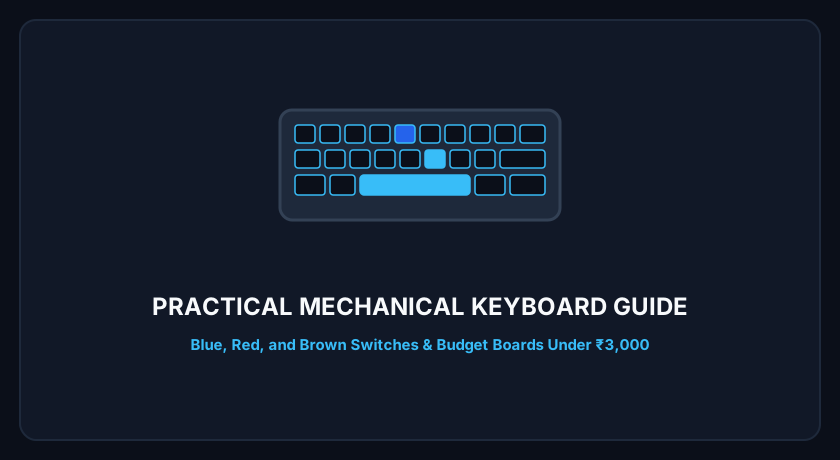
If you spend your days coding, writing, or gaming on a standard squishy membrane keyboard, switching to a dedicated mechanical keyboard is one of the most satisfying upgrades you can make to your daily workflow.
However, entering the mechanical keyboard hobby in India can feel overwhelming. With terms like Outemu, Gateron, N-Key Rollover, Tenkeyless, and Hot-Swappable, it is easy to spend money on features you do not need or end up with switches that annoy your family or roommates.
Here is a practical, beginner-friendly guide to picking the right mechanical keyboard for your desk and budget.
1. The Switch Types: Blue vs. Red vs. Brown
The mechanical switch located beneath each individual keycap determines how typing feels and sounds:
Blue Switches (Clicky and Tactile)
- Typing Feel: Noticeable bump at the actuation point followed by an audible, sharp “click” sound.
- Best For: Typists, writers, and programmers who love satisfying acoustic feedback.
- Drawback: Extremely loud. If you share a bedroom in an Indian hostel or family home, Blue switches will be heard through closed doors.
Red Switches (Linear and Smooth)
- Typing Feel: Smooth, consistent downward travel from top to bottom without any tactile bump or click.
- Best For: Fast-paced gaming and long typing sessions where finger fatigue is a concern.
- Drawback: Because there is no bump to signal actuation, beginners may experience accidental typos if their fingers rest heavily on the keys.
Brown Switches (Tactile and Quiet)
- Typing Feel: Subtle physical bump at the actuation point without the loud click of Blue switches.
- Best For: The ideal middle ground for mixed work, coding, and gaming in shared living spaces.
2. Choosing the Right Layout Size
Keyboards come in distinct physical form factors that balance desk space against dedicated keys:
- Full-Size (100% / 104 Keys): Includes dedicated number pad (Numpad), function row, and arrow cluster. Ideal for accounting and heavy data entry, but forces your mouse far to the right, straining your shoulder.
- Tenkeyless (TKL / 87%): Removes only the right-hand Numpad while keeping arrow keys and the F1-F12 row. This is the sweet spot for most Indian developers and office professionals.
- 65% Compact: Keeps arrow keys and essential navigation keys (Del, Page Up, Page Down) in a tightly packed footprint while omitting the top function row.
- 60% Ultra-Compact (e.g. Ant Esports MK1200 Mini): Eliminates arrow keys, Numpad, and function rows entirely. All navigation is handled through
Fnkey combinations. This frees up maximum mouse space on compact desks, making it a favorite for competitive FPS gaming.
3. Key Build Features to Verify Before Buying on Amazon.in
- Detachable USB Type-C Cable: In budget keyboards under ₹2,000, fixed cables often fray near the keyboard base. A detachable Type-C braided cable lets you swap cables if damaged.
- Double-Shot Injection Keycaps: Ensure key legends are molded from two layers of plastic rather than cheap silk-screen printed ink, which wears off under fingers within a few months.
- Anti-Ghosting (NKRO): Full N-Key Rollover ensures every keypress registers accurately even when pressing multiple keys simultaneously during high-speed gaming or rapid typing.
Recommended Budget Choice: Ant Esports MK1200 Mini
For anyone seeking a high-value entry point under ₹2,000, the Ant Esports MK1200 Mini provides genuine Outemu mechanical switches, a sturdy metal-reinforced baseplate, detachable Type-C connectivity, and multi-zone RGB lighting in a space-saving 60% footprint.
Editorial Note: Smartech Finds tests keyboards on Windows 10/11 and macOS systems. Pricing and switch availability are monitored on Amazon India.